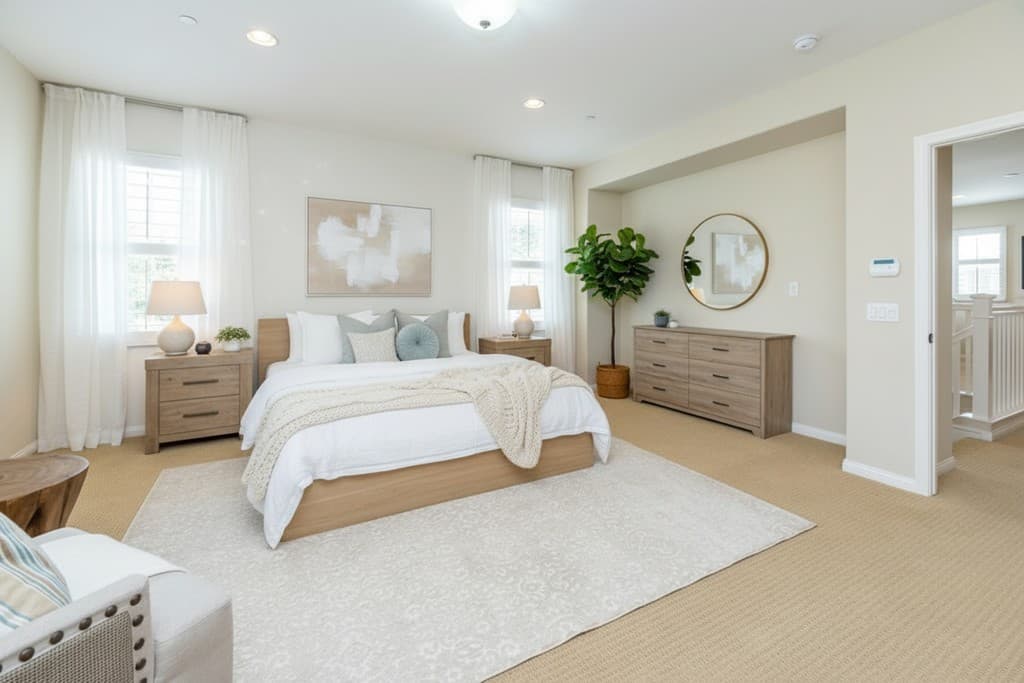
What AI interior design actually is
AI interior design is software that reads a photo of a real room and generates a photorealistic image of how that room could look with different furniture, finishes, or style. You upload a picture, pick a direction, and get a concept — not a mood board, and not a CAD file.
Treat the output as a visual answer to “what would this space look like if we changed it?” It is not a floor-plan engine, a shopping cart, or a licensed designer. Verify measurements, products, and construction in the real world.
Search results for “AI interior design” mix two products. Consumer restyle apps help you try looks on a room you already live in. Real-estate tools — often labeled AI virtual staging — furnish vacant listing photos for MLS and marketing. Same class of image model. Different rules, quality bar, and risk if you get it wrong.
Who it is for
StagePro is built real-estate first. Agents, listing photographers, and property managers use AI interior design to show buyers how empty rooms function: stage vacant inventory, test a second style for a different buyer, and keep listing photos consistent across a book of business.
Interior designers use the same tools as a meeting shortcut — several looks instead of one CAD round-trip. Homeowners preview a refresh before they spend on paint or furniture. Developers show a unit furnished before the furniture exists.
Agents: vacant-room staging and disclosure first. Designers: style options and client sign-off. Homeowners: inspiration only — measure everything yourself.
How it works
Most AI interior design tools follow the same three steps:
- Upload a photo. Well-lit, eye-level. Vacant rooms are easier than cluttered ones. Sketches can work if the tool supports them — see how to turn a sketch into a photorealistic render.
- Choose a style or prompt. Presets (modern, traditional, coastal) are faster and more consistent than free-text. Browse StagePro’s library on the styles page if you want the range before you generate.
- Generate and download. Results typically generate in under 30 seconds. Iterate: change the style, restage a wall, or swap a piece with add furniture instead of rebuilding the room.
The model estimates walls, floor plane, and light so new objects sit at scale and cast plausible shadows. When that read is wrong, you get floating sofas, stretched rugs, blocked doorways, or furniture that ignores the window.
Photography, iteration, exteriors, and video are in the AI room makeover guide. This post covers what the category is, when it fits, and how to pick a tool.
AI interior design vs AI virtual staging vs traditional design
These terms get used interchangeably. They should not. Mixing them up is how a renovation fantasy ends up on a listing.
| Job | AI interior design | AI virtual staging | Traditional interior design |
|---|---|---|---|
| What you get | A photorealistic concept of a restyled room | A furnished version of a listing photo | A plan, specs, procurement, and often project management |
| Typical input | Occupied or vacant room photo; sometimes a sketch | Vacant (or decluttered) listing photo | Site visit, measurements, budget, client brief |
| Time to first visual | Seconds | Seconds | Days to weeks for a first presentation set |
| What you can change | Furniture, décor, sometimes finishes — depends on the tool | Furniture and décor only, if you are listing legally | Whatever the scope and permits allow |
| Disclosure | Required if the image is used in real-estate advertising | Required on MLS, portals, and in most states’ advertising rules | Not an image-alteration issue; still cannot misrepresent the property |
| Best use | Client options, remodel previews, “what if we went coastal?” | Empty listings that need to read as livable online | Custom work, millwork, codes, buying, and installation |
AI virtual staging is AI interior design with a tighter constraint: you are marketing a real property. Furniture in, condition untouched, label on the file. Broader AI interior design includes restyles that change paint or flooring — useful in a designer’s concept deck, dangerous as an undisclosed listing photo.
Traditional design still wins when you need a person in the room: unusual architecture, accessibility, kitchen/bath construction, or someone to specify and install. AI is a visualization layer, not a replacement. Designers comparing tools can start with software interior designers use to visualize concepts.
When AI interior design is the right tool
Use it when the bottleneck is visualization, not construction.
Vacant listings. Empty rooms photograph cold and look smaller than they are because buyers have no scale. Staging — physical or virtual — puts a sofa, a bed, and a table in the frame so the room reads as a home. That is why agents reach for an AI interior design tool before a staging truck.
More than one buyer persona. Generate a modern look and a traditional look of the same living room. One physical staging package cannot do that. A few generations can.
Occupied homes that still need a concept. A dated but livable house is a restyle problem, not a vacancy problem. AI can show a cleaner version for a seller meeting or a designer presentation. If those images go on the MLS, disclose them, and do not hide damage.
Early design conversations. A napkin sketch can become a photorealistic option in the same meeting. That is useful for interior designers who need a client to pick a direction before anyone opens CAD.
Physical staging takes scheduling and a rental window. Manual 3D takes a specialist. AI is the right call when you need a still this afternoon.
When it is the wrong tool
Skip it — or keep the output off the listing — in these cases:
- You need exact dimensions or a bid. The image will not tell a contractor where the island lands, what the SKU is, or whether the sofa clears the slider. Do not order from a JPEG.
- You want to change the property’s condition in a listing photo. Removing water stains, cracks, power lines, or damaged finishes and presenting that as the home is misrepresentation. Furniture and décor only. Conceptual renovations belong in a packet labeled as a concept.
- The architecture is the problem. AI will not move a load-bearing wall or fix a seven-foot ceiling. If it invents a window, that is a defect in the output. Unusual plans, historic constraints, and code work need a human.
- The photo is bad. Dark, ultra-wide, or shot into a mirror will produce garbage. Fix the photography first.
- You need furniture in the room on Sunday. Virtual images sell the listing online. They do not stage an open house. Luxury or long-sitting inventory may still want physical staging for showings.
- You refuse to disclose. Then do not use the images in advertising.
AI interior design is excellent at “show me three furnished versions of this photo.” It is weak at “tell me what to buy, what it costs, and whether this kitchen passes code.”
Disclosure is not optional
If a buyer will see the image, treat it as advertising. Virtual staging is legal in all 50 US states when it is disclosed and when you do not alter condition. Undisclosed staging, or staging that hides defects, is a misrepresentation problem under license law, MLS rules, and the NAR Code of Ethics: buyers cannot be misled.
The practical standard:
- Put “Virtually Staged” on the image itself. Captions get stripped in syndication.
- Repeat the disclosure in the remarks. One sentence is enough.
- Keep the unaltered originals and make them available. California’s AB 723 requires that as of January 1, 2026; other states and MLSs are moving the same direction.
- Upload original-then-staged pairs where the MLS allows it.
Full rules: Is virtual staging legal? Disclosure rules by state and the MLS-compliant virtual staging checklist. State pages live in the compliance hub.
This applies to “AI interior design” images the same way it applies to “AI virtual staging.” If you restyled paint and floors for a listing, that is a digitally altered photo of a property. Label it as a concept. Do not let a buyer think the quartz is already in.
How to choose an AI interior design tool
A generic image generator can restyle a bedroom. A tool you can use on a listing has to survive zoom, MLS upload, and a buyer standing in the empty room two days later. Judge products on the job you actually have.
1. Output quality
Check shadows, scale, and whether furniture blocks doors and windows. Generate the same vacant living room twice. If legs hover, rugs shear, or a sofa sits in the walk path, the model is not reading the room. Photorealism on a hero shot is not enough; check corners and floor contact.
For staging-product features, see best AI virtual staging software of 2026. Side-by-sides: /compare, including StagePro vs REimagineHome, StagePro vs RoomGPT, and StagePro vs Interior AI.
2. Disclosure and listing workflow
If you are an agent, this is the filter most consumer apps fail. You need an on-image “Virtually Staged” label, originals kept next to staged files, and exports that will not get your photos pulled. A pretty render with no label is an MLS incident.
3. Styles you can actually assign
Three presets (“modern,” “cozy,” “luxury”) will look the same on every listing. You want enough range to match the architecture and the buyer — a 1920s bungalow should not get the same furniture as a downtown condo. You can choose from 100+ design styles in StagePro; other products publish their own counts. Match the library to the properties you list.
4. Commercial use, watermarks, and resolution
Read the license before a file goes on the MLS, a flyer, or a client deck. Free tiers often watermark the image or restrict commercial use. If you cannot download a clean, high-resolution file you are allowed to use in advertising, it is not a listing tool. Check pricing and the product terms.
5. Vacant staging vs restyle vs furniture try-on
Some products only restyle a furnished room. Some only drop furniture into empty photos. If your inventory is vacant, you want a staging mode — see virtual staging software and AI tools. Placing one sofa in a real photo is a different control than a full-room restyle.
Where StagePro fits
StagePro is one option in that set, aimed at listing work rather than Pinterest-style restyles. It stages vacant rooms, supports a large style library, and is set up for MLS disclosure (on-image labels, originals, paired exports). Adjacent jobs — furniture placement, sketch-to-render, outdoor staging — live in the same product.
Wrong choice if you need shoppable SKUs, a contractor packet, or a BIM model. Reasonable if you need listing-grade stills with a compliance path. Try a vacant photo on virtual staging or free virtual staging and judge the shadows yourself.
A generic search for “AI interior design” currently surfaces consumer restyle apps more often than staging software. If your use case is a listing, evaluate tools as staging software.
A simple way to start
Pick one vacant room. Shoot it at chest height with the lights on and the blinds open. Generate two styles that match the likely buyer, not your taste. Put the label on both files. Keep the original. Upload original, then staged. That is a complete, legal first use of AI interior design on a listing.
If the output looks off, fix the photo first. Stage a listing in StagePro or start on the free virtual staging page. Generate, check floor contact, then decide if it is good enough for your MLS.
FAQ
What is AI interior design?
Software that turns a room photo (or sometimes a sketch) into a photorealistic furnished or restyled image. Visualization — not a construction set.
How does AI interior design work?
Upload a photo, choose a style, get a new image that keeps the architecture. Useful versions put objects on the floor with matching light. Shot setup: AI room makeover guide.
Is AI interior design the same as virtual staging?
No. Virtual staging is AI interior design applied to listing photos: add furniture, do not change condition, disclose. Broader AI interior design also includes restyles you would not put on an MLS without a “concept” label.
Can I use AI interior design photos on the MLS?
Yes, if your MLS allows virtual staging — most do — and you follow photo policy: on-image label, remarks disclosure, originals available, no condition edits. Check your MLS and the MLS checklist before you upload.
Do I have to disclose AI-generated listing photos?
Yes. State license law, MLS rules, NAR Article 12, and California AB 723 all require that buyers not be misled by digitally altered listing images. See disclosure rules by state.
Is AI interior design accurate enough to remodel from?
No. Use it for direction. Confirm every dimension, finish, and product before you spend money. AI will invent rugs, art, and sometimes windows. Acceptable in a concept. Not a bid set.
Will AI interior design replace interior designers?
It replaces the slow first-round visualization, not the designer. Specs, site conditions, procurement, and contractors still need a person.
Is there a free AI interior design tool?
Many products offer a limited free tier. For listing use, the question is whether the file is watermark-free, high-resolution, and licensed for commercial use. StagePro’s free virtual staging page is the place to test on a real listing photo.
What is the best AI interior design tool for real estate?
The one that keeps furniture on the floor, lets you disclose, and licenses the file for MLS. Rankings go stale. Run one vacant photo through two or three tools — including StagePro if you want a real-estate-first option — and pick the output you would defend to a buyer.